Hear every part.
See how it is played.
Separate a song into vocals, accompaniment, and instrument stems. Follow playback through waveforms and notation, correct the draft, and export the files you need.
An original 20-second demo. Choose a part and listen.
What is StemTab?
StemTab is a stem separation and music transcription tool. Upload a song or the audio of a video and it separates vocals, accompaniment and instrument stems such as guitar, bass, drums and piano, then transcribes the notes into an editable score draft. Correct the draft while you listen, then export audio, PDF, MusicXML, MIDI and the project. Automatic notation is a draft and may need human correction. It does not generate guitar tablature (TAB).
Move from “what is that sound?” to practicing, correcting, and creating with it.
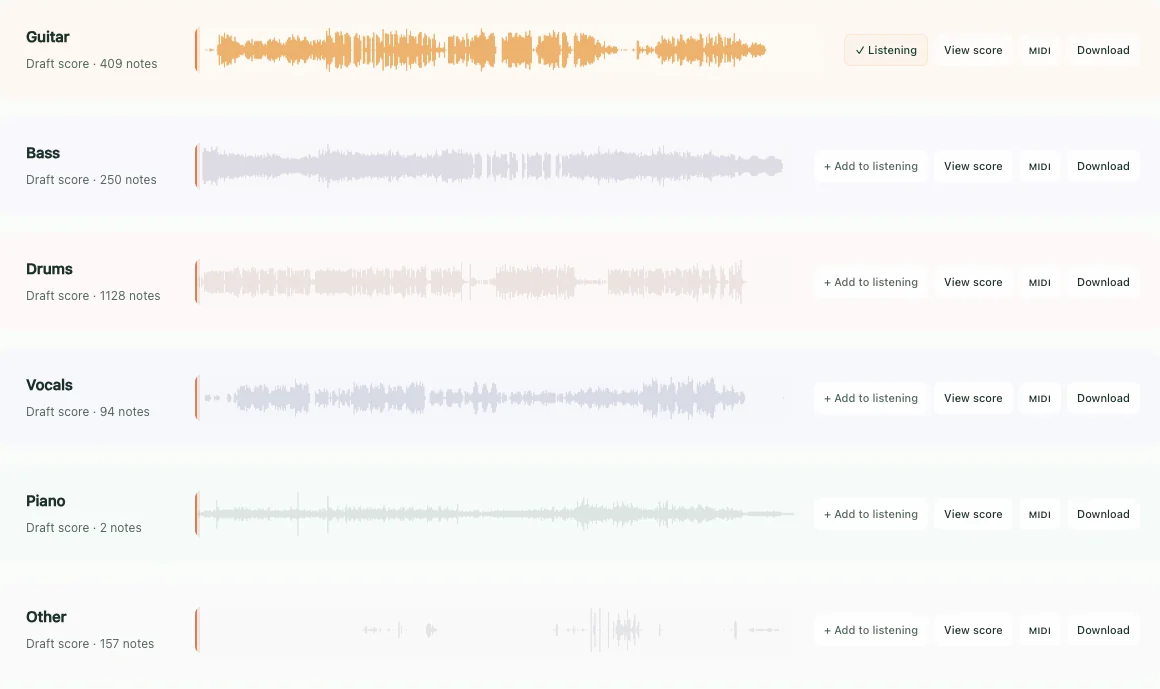
Hear every track in isolation
Join, mute, solo, and playback live in one workspace. Every visible waveform maps to a stem you can export.
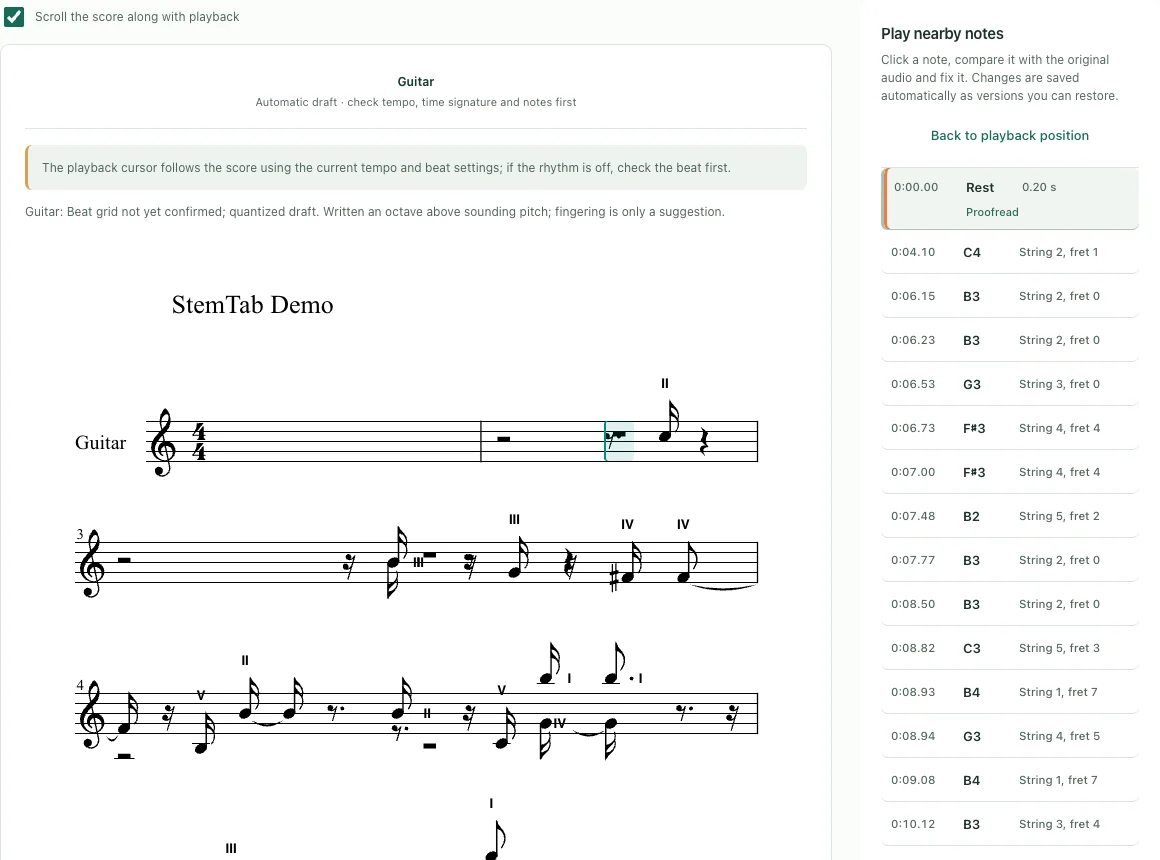
The score follows playback
Automatic transcription creates an editable draft. Listen, locate uncertain measures, correct notes and timing, then print or export.
One clear workflow
- Choose mediaUpload an audio or video file.
- Choose the resultTwo stems, multiple instruments, or transcription.
- Watch it take shapeFollow real processing stages and progress.
- Listen and correctStems, waveforms, and notation stay at the same play position.
- Export and continueDownload audio, PDF, MusicXML, MIDI, and the project.
From practice to the next idea
Native apps process and store on device by default, without an account. Web Studio processes in the cloud.
Web · iPhone · iPad · Mac coming soon
Frequently asked questions
Does StemTab generate guitar tabs?
No. StemTab produces an editable score draft in standard notation, plus MIDI. It does not generate guitar tablature (TAB).
How accurate is the automatic score?
The result is an editable draft that may need manual correction. Accuracy depends on recording quality, mix density and playing style, so StemTab lets you correct pitch, duration and rests while you listen.
Which stems can StemTab separate, and what can I export?
It can split a song into two stems (vocals and accompaniment) or six parts: vocals, guitar, bass, drums, piano and other. You can export the separated audio, a printable PDF, MusicXML, MIDI and the StemTab project.
Where can I use StemTab?
StemTab runs as a Web Studio in your browser (cloud processing) and as an iPhone and iPad app on the App Store. A Mac download is coming soon.
Where is my audio processed?
Native apps process and store projects on your device by default, without an account. The Web Studio processes audio in the cloud.
How is StemTab priced?
The Web version charges by processing minutes, with no subscription; purchased minutes do not expire. Each verified email receives a one-time 5-minute free preview allowance (web app only). Exporting and downloading require a paid package. iPhone and iPad pricing is shown on the App Store.
Is there an iPad app that separates stems and creates sheet music?
Yes. The iPad app processes audio on device, separates vocals and accompaniment or six stems, and creates editable score drafts that require manual correction. You can export PDF, MusicXML and MIDI, but it does not generate guitar TAB; only process audio you have the right to use.
Your next song starts here.
A one-time 5-minute free preview per verified email (web app only). Pay when you export.
Open Web Studio