iPhone · iPad · Mac

听见每一个声部,
看懂它如何演奏。

把一首歌拆成人声、伴奏和乐器音轨。跟着波形与乐谱播放,校对识谱结果,再导出你真正需要的文件。

00:1800:2400:30
人声
吉他
贝斯
鼓

分离不是终点。

从“这是什么声音”,一直走到“我可以怎么练、怎么改、怎么继续创作”。

每条音轨,都能单独听清

加入、静音、独奏和播放位置集中在同一工作台。你看到的每一条波形,都对应实际导出的音轨。
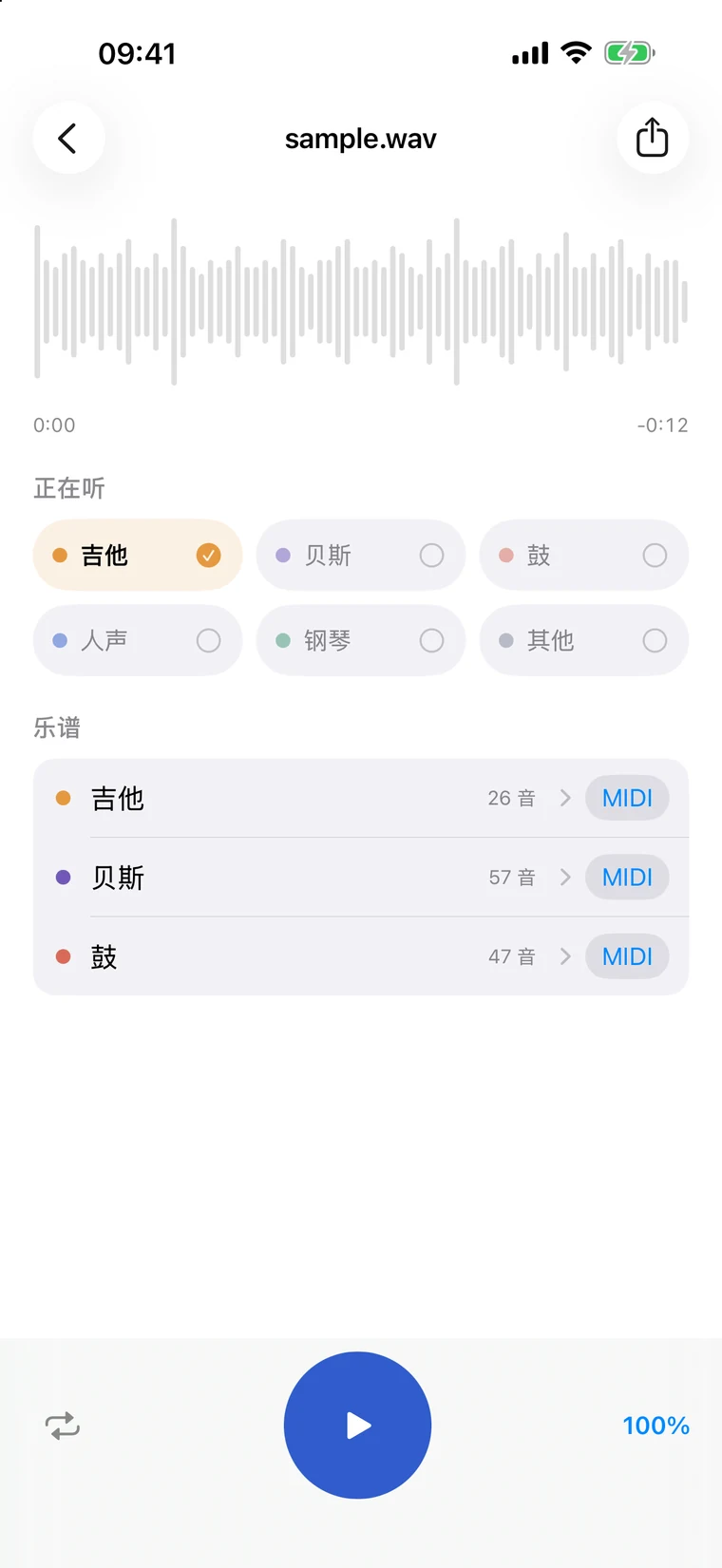
StemTab iPhone 多音轨工作台
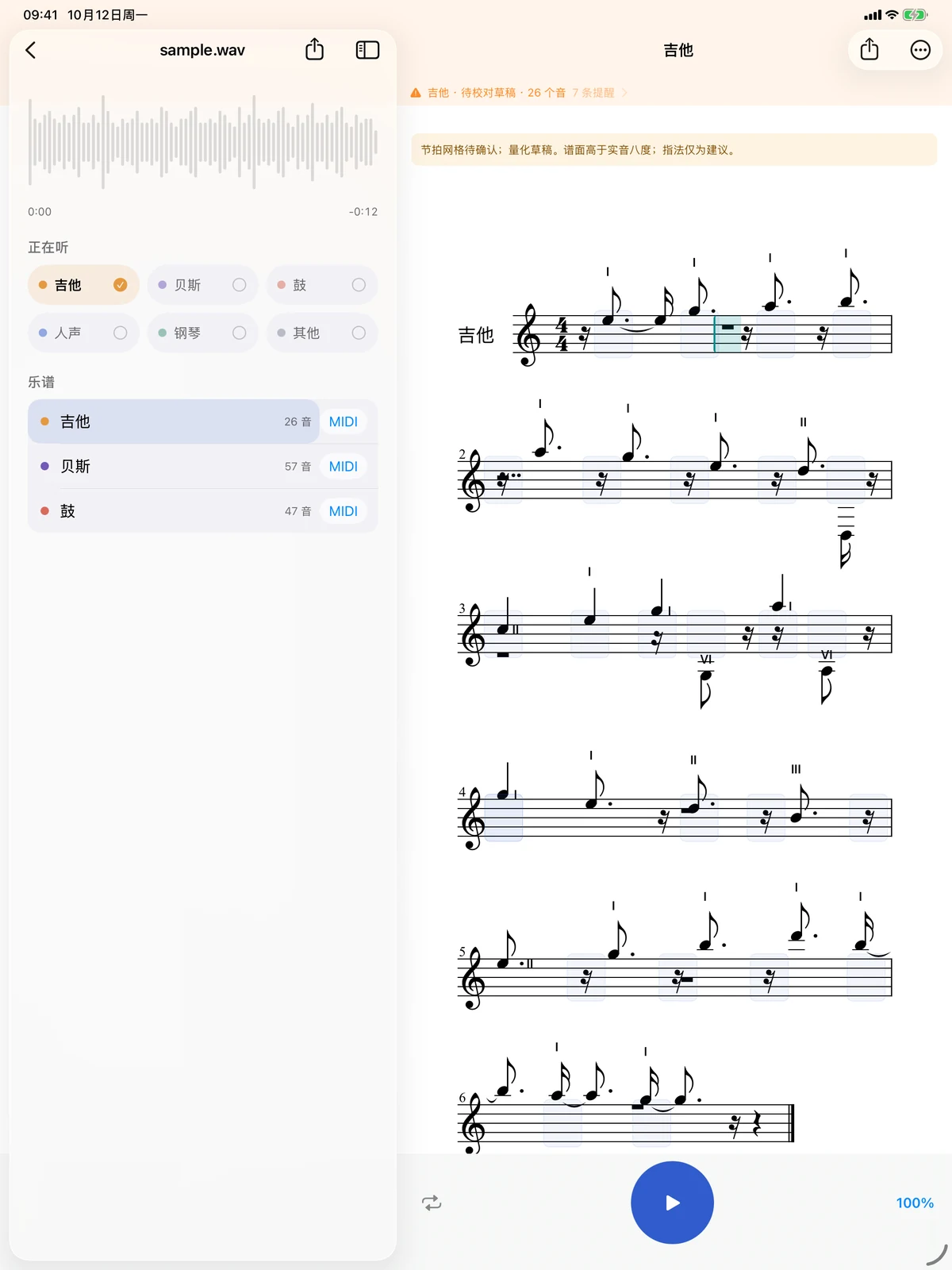
StemTab iPad 乐谱校对工作台

播放到哪里,乐谱跟到哪里

自动识谱先生成草稿。边听边定位需要确认的小节,直接改音高、时值和声部,再打印或导出。

一条清楚的工作流

  1. 选择素材从文件、照片视频或本机音乐库导入。
  2. 决定要什么两轨分离、多乐器分轨或单独识谱。
  3. 看着它完成处理阶段、波形与识别到的声部持续出现。
  4. 试听与校对音轨、波形和乐谱保持在同一播放位置。
  5. 导出继续使用音频、PDF、MusicXML 与 MIDI 通过系统分享。

从练习,到下一次创作

Separated audioPrintable PDFMusicXMLMIDI

原生客户端默认在设备上处理与保存项目,不要求注册,不收集分析数据或广告标识符。

iPhone · iPad · Mac

Hear every part.
See how it is played.

Separate a song into vocals, accompaniment, and instrument stems. Follow playback through waveforms and notation, correct the draft, and export the files you need.

00:1800:2400:30
Vocal
Guitar
Bass
Drums

Separation is the beginning.

Move from “what is that sound?” to practicing, correcting, and creating with it.

Hear every track in isolation

Join, mute, solo, and playback live in one workspace. Every visible waveform maps to a stem you can export.

StemTab multitrack workspace on iPhone
StemTab score workspace on iPad

The score follows playback

Automatic transcription creates an editable draft. Listen, locate uncertain measures, correct notes and timing, then print or export.

One clear workflow

  1. Choose mediaImport from Files, photos and videos, or the local music library.
  2. Choose the resultTwo stems, multiple instruments, or transcription.
  3. Watch it take shapeStages, waveforms, and detected parts appear during processing.
  4. Listen and correctStems, waveforms, and notation stay at the same play position.
  5. Export and continueShare audio, PDF, MusicXML, and MIDI with the system share sheet.

From practice to the next idea

Separated audioPrintable PDFMusicXMLMIDI

The native app processes and stores projects on device by default, requires no account, and collects no analytics or advertising identifiers.